
If you’ve ever spent hours (or days) chasing down unpaid dues, sending reminders, updating spreadsheets, reconciling bank statements, and still ended up with missing payments and frustrated members… you already know why so many associations are moving to automated dues tracking.
The good news? Modern association management platforms like Asovex have turned what used to be a painful, error-prone process into something almost invisible—quietly running in the background while you focus on growing your community.
In this guide, we’ll walk through exactly how automated dues tracking works, step by step, using real-world examples and plain language. Whether you’re still using Excel or you’re evaluating platforms, you’ll leave this article understanding:
- What automated dues tracking actually does behind the scenes
- The major steps involved
- How it saves time and reduces errors
- What to look for when choosing a system
Let’s dive in.
What Is Automated Dues Tracking, Really?
At its core, automated dues tracking is a system that:
- Knows when each member’s dues are due
- Automatically generates and sends invoices
- Tracks payments in real time
- Sends reminders to non-payers
- Updates member records and financial reports instantly
Instead of you manually creating invoices, emailing them, following up, recording payments, and updating statuses, the software handles 90–95% of the repetitive work.
Think of it like automatic bill pay on your personal bank account—but designed specifically for the unique (and often complicated) dues structures of associations.
Step-by-Step: How Automated Dues Tracking Actually Works
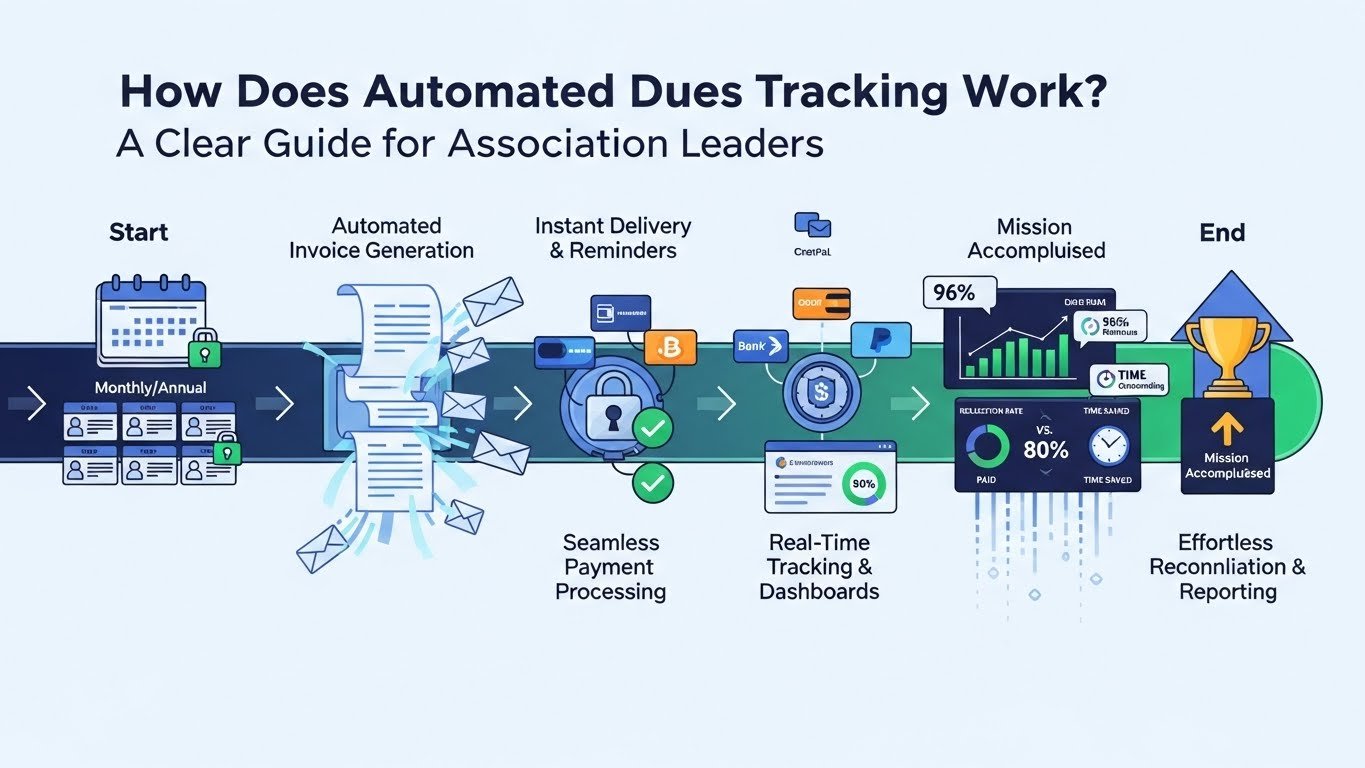
Here’s the typical flow inside a modern system like Asovex.
1. Set Up Dues Rules Once (The “Set It and Forget It” Part)
You define the dues structure one time:
- Membership types (e.g., Professional, Student, Retired, Corporate)
- Dues amounts per type
- Billing frequency (monthly, quarterly, annually)
- Proration rules (pro-rate for mid-year joiners?)
- Late fees (optional)
- Grace periods
- Payment methods allowed (credit card, bank transfer, PayPal, etc.)
Most platforms let you create multiple dues cycles and assign them to different member categories. Once set, the system remembers forever.
2. The System Automatically Knows When to Bill
Every night (or on your chosen schedule), the platform scans member records and checks:
- When is this member’s next due date?
- Has the dues cycle changed?
- Are they eligible for renewal?
If a dues date is approaching (usually 30–45 days in advance), the system flags it.
3. Invoices Are Generated Automatically
The platform creates a professional-looking invoice for each member:
- Includes member name, membership type, amount due
- Shows payment history (if desired)
- Lists accepted payment methods
- Applies any discounts (e.g., early bird, multi-year)
- Calculates taxes if applicable
You can usually customize the template with your logo, colours, message, and terms.
4. Invoices Are Delivered Automatically
Most systems offer multiple delivery options:
- Email (HTML + PDF attachment)
- Member portal notification
- SMS text reminder (premium feature)
Many also allow you to stagger delivery so you don’t flood everyone on the same day.
5. Members Pay Easily (and Payments Are Instantly Recorded)
Members click the link in the email or log into the portal and pay via:
- Credit/debit card
- ACH/bank transfer
- PayPal
- Other gateways
Once payment is confirmed (usually within seconds), the system:
- Marks the invoice as paid
- Updates the member’s payment history
- Records the transaction in your financial ledger
- Sends a confirmation receipt to the member
No manual entry. No reconciliation headaches.
6. Reminders & Escalations Run on Autopilot
For unpaid invoices, the system follows your rules:
- First reminder: 7 days before due
- Second reminder: day of due date
- Overdue notice: 7 days late
- Final notice: 30 days late + late fee (if configured)
You can customize tone, timing, and channels (email, SMS, portal alert).
7. Everything Updates in Real Time
As payments come in (or don’t):
- Member status updates automatically (active → overdue → suspended if configured)
- Financial reports reflect accurate revenue
- Dashboards show outstanding balances, aging reports, and collection rates
Board treasurers can log in and see live numbers—no more waiting for the treasurer to “finish the books.”
Real-World Time Savings Example
Let’s look at a realistic case from a 300-member professional association:
Before automation:
- Treasurer spent ~18 hours/month on dues
- Late payments averaged 22%
- 2–3 member complaints per cycle about “forgotten” invoices
- Frequent errors in manual tracking
After implementing automated dues tracking:
- Treasurer spends ~1.5 hours/month (mostly reviewing dashboard)
- Late payments dropped to 4%
- Complaints almost eliminated
- Members love the convenience and transparency
That’s a savings of roughly 200 hours per year—just from dues.
Common Features That Make the Biggest Difference
When evaluating systems, here are the capabilities that deliver the most value:
- Recurring billing — auto-charge credit cards on file
- Payment plans/instalments — let members spread payments
- Proration — handle mid-cycle joiners fairly
- Bulk actions — apply changes to groups (e.g., dues increase)
- Audit trails — full history of every invoice and payment
- Multi-currency — important for international associations
- Integration — sync with accounting software (QuickBooks, Xero)
Asovex, for example, includes most of these out of the box across its paid plans, which is why many associations are choosing it for dues automation.
How to Get Started with Automated Dues Tracking
If you’re ready to move away from manual dues, here’s a simple roadmap:
- Audit your current process — How many hours are spent? How many errors occur?
- Document your dues rules — Types, amounts, cycles, policies
- Choose a platform — Look for automation depth + ease of use
- Import members — Most platforms offer CSV import or API migration
- Set up billing — Test with a small group first
- Communicate the change — Explain benefits to members (convenience, reminders)
- Monitor & refine — Review reports monthly at first
Many platforms (including Asovex) offer free plans or trials, so you can test without risk.
Final Thoughts
Automated dues tracking isn’t just about saving time—it’s about removing friction from the member experience, improving cash flow, reducing errors, and giving your leadership team accurate, real-time financial visibility.
Associations that make the switch rarely go back.
If you’re tired of dues being the biggest headache in your organization, take a look at how platforms like Asovex are helping thousands of groups automate the process completely. You might be surprised how little effort it takes to get started.
Want to see automated dues tracking in action? Visit our features page to explore the tools, or reach out via our contact page to talk with someone who can walk you through a quick demo tailored to your association.
Your members—and your sanity—will thank you.
Comments 0
Leave a Comment
No comments yet
Be the first to share your thoughts!